Edit a logo with AI without starting over: a before-and-after example
See how Wilogo creates a controlled AI variant from one selected logo, with a PJP example that changes one accent color while keeping the design intact.
You have found a logo concept that works. The symbol feels right, the proportions are balanced, and the typography suits the name. One detail is off: perhaps an accent color is too warm, a secondary shade clashes with your website, or a small treatment needs to feel more restrained. Generating a fresh set of concepts is the wrong move. You do not want another idea. You want a controlled variation of this one.
Wilogo now lets you select a specific logo and ask AI to create a genuine variant from it. The selected design becomes the visual reference. Your request describes the change, while the parts you want to retain stay in place. The result is meant to remain recognizably related to the source, rather than opening a new round of unrelated creative directions.
A variant is not a new creative direction
There is a practical difference between asking for another logo and asking for a variant. A new creative direction gives the system room to rethink the symbol, lettering, structure and visual tone. That is useful early in a project, when you are comparing possible identities. It is frustrating after you have already chosen the concept you want to develop.
A controlled variant starts later in the decision process. You select one existing logo, then define a limited change around it. The source image is not a loose mood reference. It is the design the new version should follow. If your instruction says to alter one accent color and preserve everything else, the intended output is the same logo with that targeted adjustment.
This makes the feature different from simply running an AI logo generator again. Regeneration is useful for breadth. A variant is useful for continuity. One helps you discover possibilities; the other helps you refine a decision.
The PJP before-and-after example
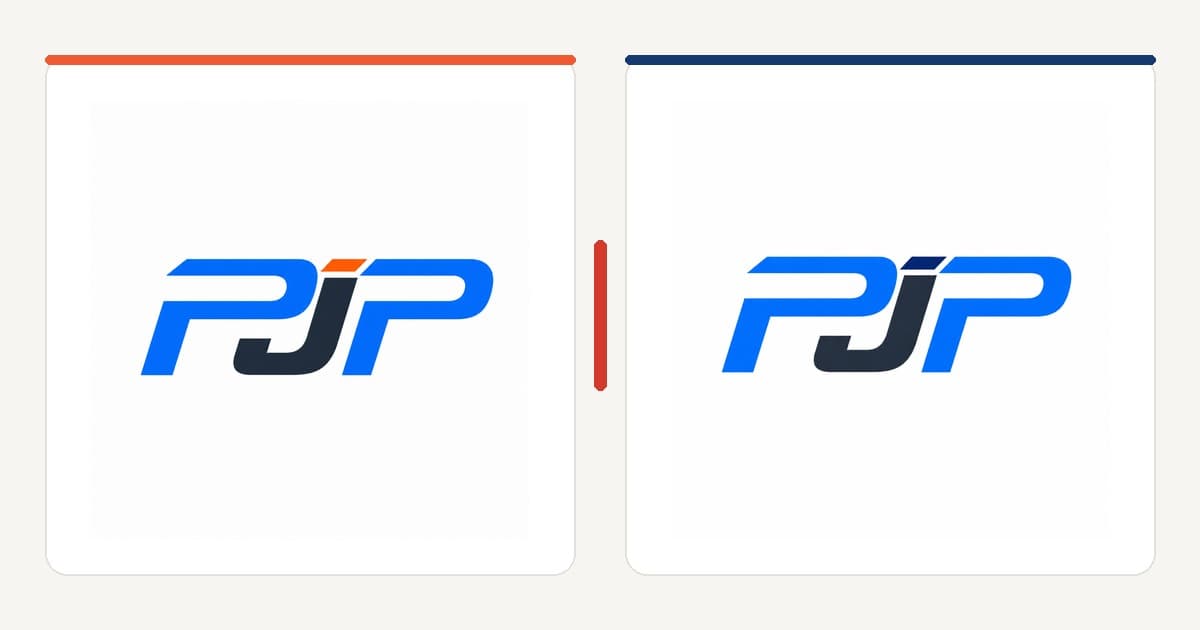
Our fictional PJP logo is a compact monogram built from blue and charcoal forms. A small orange-red accent introduces contrast. The monogram, spacing and letter construction already work, so the request should not invite a redesign.

The request is deliberately narrow: Replace only the orange or red accent with navy. Preserve the PJP symbol, composition, proportions and typography.
It identifies both the editable attribute and the attributes that must remain stable. There is little room to interpret "make it more premium" or "modernize it" as permission to rebuild the design.
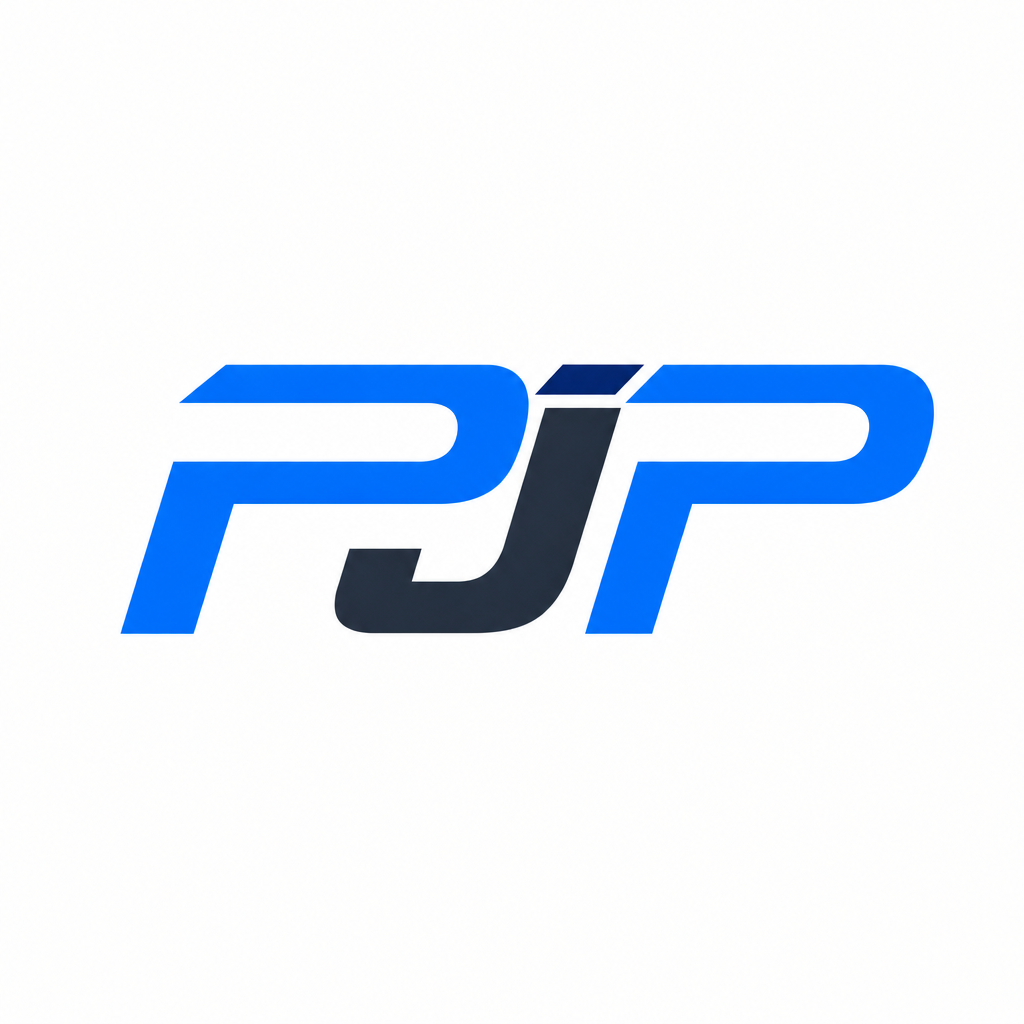
The result keeps the PJP monogram, its composition and the relationship between its forms. The accent now belongs to a cooler palette. This is a modest change, which is precisely the point. A useful variant does not need to look dramatically different in a before-and-after comparison. It needs to solve the stated problem without disturbing the decisions that were already approved.
What the edit should preserve
Color is only one part of a logo. A seemingly small regeneration can accidentally change the width of a letter, the gap inside a monogram, the angle of a cut or the balance between symbol and wordmark. Those shifts may make the output feel like a cousin of the original rather than a true variant.
For the PJP request, five attributes matter:
- The symbol must remain the same PJP monogram, not a newly interpreted set of initials.
- The composition must retain the same arrangement and visual hierarchy.
- The proportions must stay consistent, including the relative size of each form and the surrounding negative space.
- The typography or custom letter construction must not be replaced by a different type style.
- Only the orange-red accent should become navy; the existing blue and charcoal should remain unchanged.
You do not have to list every visible property in every request. The useful habit is to name the change first, then protect the characteristics that make the selected logo recognizable. If spacing is especially sensitive, mention spacing. If the icon must stay aligned above a wordmark, state that. Specific constraints reduce the chance that a simple edit drifts into redesign.
For a broader system, see our guide to adaptive logos and dynamic identity. Here, the aim is narrower: revise one selected design while retaining its identity.
How to write a useful variant request
A good request reads more like a clear revision note than an open creative brief. Start with an action that can be seen: replace, remove, enlarge, reduce, align or simplify. Then identify the exact target. Finish by naming what should not change.
A practical structure is: Change [specific element] from [current state] to [desired state]. Keep [protected attributes] unchanged.
For PJP, that becomes: Replace only the orange or red accent with navy. Keep the symbol, composition, proportions and typography unchanged.
Use concrete visual language. "Change the orange accent to dark navy" gives the model a clearer task than "make the logo feel more serious." If you have a precise color value, include it, but still review the rendered shade on screen and in export. Color appearance can vary with file format, display and surrounding colors.
Avoid combining several uncertain ideas in one instruction. Asking to change the accent, redesign the initials, tighten the spacing and explore a more dynamic shape is effectively a new direction. If you want to compare controlled outcomes, make one focused request first. Review it, then decide whether a second adjustment is necessary.
How revision rounds work
The variant is created from the logo you specifically selected, so changing selection changes the reference. Before submitting a request, check that you are working from the right concept and version. This matters when several logos have similar colors or when you have already made earlier variants.
A successfully generated variant uses a revision round. Review the output against the source and your written request before moving to another change. If generation fails, Wilogo does not count that failure as a successful revision round. In other words, a technical failure does not consume the round as though a usable result had been delivered.
That rule should not be confused with a guarantee that every completed output will match your instruction perfectly. AI results can vary. A completed variant may still need another attempt or a more precise request. Keep each round focused so you can tell what changed and why. If a result introduces an unwanted alteration, refer to it directly in the next instruction: Keep the navy accent, but restore the original spacing and letter proportions from the selected source.
Limits and checks before using the result
AI can follow a constrained request, but it is not a precision vector editor and it does not remove the need for review. Results may vary between attempts. Fine details can move, edges can soften, colors can shift, and letterforms can acquire small inconsistencies. The closer the logo gets to final use, the more carefully you should inspect it.
Check legibility at realistic sizes
View the full logo at website-header size, then test the symbol at favicon or social-avatar size. A color change can reduce contrast even when the geometry stays intact. Check the mark on light and dark backgrounds where relevant. If the monogram contains narrow gaps, make sure they remain open when the image is reduced.
Compare the source and variant side by side
Do not rely on memory. Look at alignment, negative space, stroke weight, letter width and the outer silhouette. For a color-only request, any unexplained geometry change deserves attention. Zoom in for edge quality, but also step back: some balance problems are easier to see at normal viewing size.
Check originality and trademark availability
An AI-generated result is not automatically original, exclusive or legally available. Search for similar marks in your field and region. Trademark rights depend on jurisdiction, categories of goods or services, prior use and other factors. If the identity will support a significant business launch, ask a qualified trademark professional to assess availability. Wilogo's variant tool helps produce visual options; it does not provide legal clearance.
When to use a controlled variant
This workflow fits situations where the design decision is mostly settled. You may need a cooler palette for a sub-brand, a one-color treatment for a specific medium, a simplified detail for small sizes, or an alternate arrangement that remains tied to the selected identity. The common thread is continuity.
Choose a new creative direction instead when the current logo has a structural problem. If the symbol communicates the wrong idea, the name is hard to read, or the composition fails in every practical placement, preserving it too strictly will preserve the problem. Go back to exploration rather than trying to repair a weak foundation through a series of tiny prompts.
The PJP example is a good controlled-variant case because the issue is isolated. The monogram is accepted; the warm accent is not. One targeted request changes the palette without reopening decisions about the initials, type or composition. That is faster to assess because success has a clear definition.
Frequently asked questions
1. Does the AI variant feature redesign the whole logo?
It is designed to work from the logo you select and follow your requested change. If you ask for a limited edit and state what must stay fixed, the intended result is a related variant rather than a new concept. AI output can still vary, so compare it carefully with the source.
2. Can I ask for only a color change?
Yes. Name the color or element to replace, describe the desired replacement, and state that the symbol, layout, proportions and typography must remain unchanged. The PJP example uses exactly this approach.
3. What happens if variant generation fails?
A generation failure does not count as a successful revision round. You can retry without the failed attempt being treated as though Wilogo delivered a completed variant.
4. Will the result be ready for trademark registration?
Not automatically. You must still check originality, similarity to existing marks and trademark availability in the relevant jurisdictions and business categories. Professional legal advice may be appropriate before registration or a major launch.
5. Should I request several changes at once?
Usually, one focused change is easier to control and evaluate. If you combine color, geometry, typography and composition changes, you are closer to requesting a new direction. Make the most important constrained edit first, review it, then continue if needed.
Start with a logo, then refine the right one
A useful variant begins with a clear source. Create or choose a concept, select the exact logo you want to keep, and write a request that separates the desired change from the protected parts of the design.
Create a logo with Wilogo, then use a controlled AI variant when the concept is right but one detail still needs work.